
InvoiceNow for Singapore. Built into your accounting.
Send customer invoices, receive supplier bills and keep your records together with MUST Accounting.
- Send and receive structured e-invoices
- Keep invoices and delivery records together
- Get guided setup and team training
We confirm registration and IRAS reporting availability for your setup.
INV-2026-0042
| Description | Amount |
|---|---|
| Professional services1 × S$1,000.00 | S$1,000.00 |
View tax breakdown
- Subtotal
- S$1,000.00
- GST (9%)
- S$90.00
From the first invoice to the everyday routine.
Structured e-invoicingAccounting in one placeGuided implementationTrusted by clients and partners of MUST Group



MUST Suite on the InvoiceNow network
MUST Suite supports structured e-invoicing in the Singapore PINT SG and BIS Billing 3.0 formats. The readiness review confirms your deployment scope, registration requirements and production availability of the IRAS reporting flow before you commit.
- Send & receive
- Post a customer invoice or credit note and send it as PINT SG or BIS Billing 3.0 in one click. Supplier invoices arrive in an inbox as draft bills.
- Register on the SMP
- Your business is registered on the Singapore SMP, with your consent, so trading partners can find you and deliver to you.
- Submit to IRAS
- The GST InvoiceNow Requirement includes reporting invoice data to IRAS. Confirm production availability and the setup needed for your company during the readiness review.
- Log & reconcile
- Review submission records and acknowledgement handling as part of your implementation scope, including the retention and reconciliation requirements for your company.
See how your team will use it.
Our user guide covers company setup, sending invoices, receiving supplier bills and handling exceptions. Explore the documented workflow before discussing your implementation.
Watch the invoicing workflow.
A 36-second illustrative tour of preparing, reviewing, sending and tracking an invoice in MUST.
 Watch product film 0:36
Illustrative sample only. Registration, deployment scope and IRAS reporting availability are confirmed with our team. Watch with transcript
A clear plan from setup to handover.
Work with MUST to define the right scope, test your invoice flows and prepare your team.
Confirm the scope
Review your current accounting setup and invoice flows. Confirm registration requirements and production availability of IRAS reporting for your company.
Configure and test
Set up company and trading partner records, arrange registration with your consent and test the agreed invoice flows.
Prepare your team
Plan training, establish operating checks and complete the support handover so your team knows the next steps.
Software, implementation and training are separate quote items. We agree the work and responsibilities before starting. How our pricing works.
Discuss my setupPlanning a wider setup? Explore Accounting for invoices, reconciliation and financial reports,Inventory for stock, purchasing and sales across locations, and Point of sale to connect the counter to your accounts.
Turn your InvoiceNow questions into a plan.
Start with six preparation questions. Get your priorities and a PDF checklist, then review the next steps with your finance team or MUST. Free, with no email required for results.
Planning your rollout? Read the InvoiceNow preparation guides.
Is InvoiceNow mandatory in Singapore?
Yes, for businesses covered by the phased GST InvoiceNow requirement. It applies to all voluntary GST applications submitted from 1 April 2026. IRAS has published further phases from April 2028 to April 2031 for new compulsory applicants and existing GST-registered businesses, subject to the applicable rules and exclusions.
Confirm which phase covers your business, then check the software, registration and testing work needed to prepare.
Read the official IRAS onboarding guide (PDF) Reviewed 18 November 2026 · Source: IRAS GST InvoiceNow Requirement.Received a letter from IRAS?
Keep your IRAS notification and current software details ready. We’ll help turn your preparation questions into an implementation plan, with the scope and next steps clearly recorded.
Book the free 15-minute checkExplore the InvoiceNow network and workflowTry a sample invoice and see how the five-corner model connects your business, your customer and IRAS.
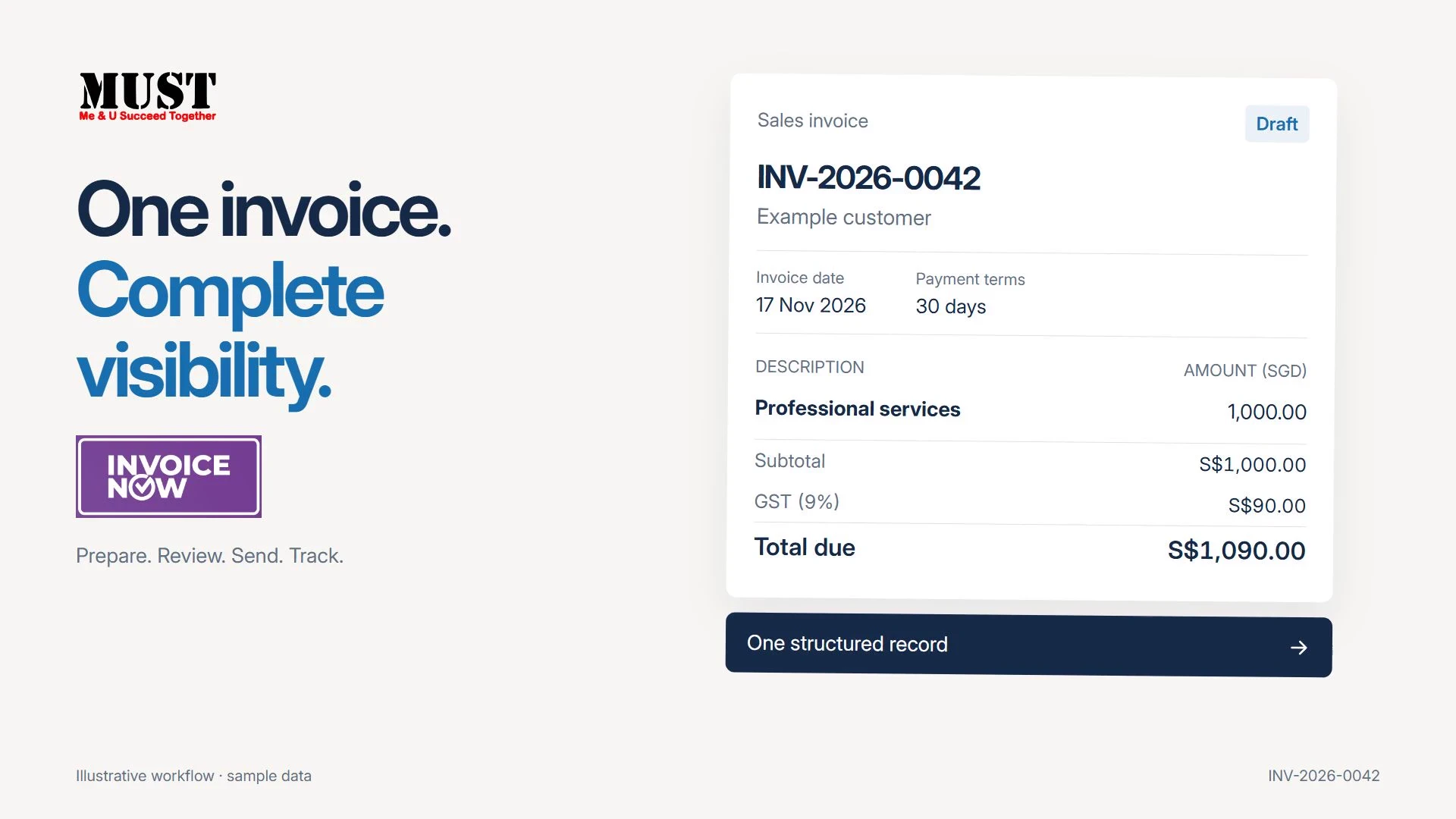
One invoice.
Complete visibility.
From the first line item to the delivery record. Explore the four stages of an illustrative InvoiceNow workflow.
Start with a complete invoice.
Bring the customer, line items and tax breakdown into one structured record.
INV-2026-0042
Example customer
- Invoice date
- 17 Nov 2026
- Due date
- 17 Dec 2026
| Description | Amount |
|---|---|
| Professional services1 × S$1,000.00 | S$1,000.00 |
- Subtotal
- S$1,000.00
- GST (9%)
- S$90.00
- Total due
- S$1,090.00
One record across every stage
Your invoice stays in the accounting workflow, ready for a final review.
Check the details before sending.
Review the required information and invoice totals before transmission.
Sample review checks
- Invoice & customer details
- CompleteReference, dates and recipient present
- Line items & tax
- BalancedS$1,000.00 + S$90.00 = S$1,090.00
- Recipient routing
- Ready to reviewConfirm the recipient’s registered Peppol details
A clear review point helps your team catch incomplete details before an invoice leaves.
Follow the transmission record.
See how a structured invoice moves from your system to your customer’s software.
Illustrative Peppol route
- From
- MUST workspaceStructured invoice · PINT SG
- Through
- Peppol Access PointsSender access point → recipient access point
- To
- Customer’s softwareThe recipient receives structured invoice data
This is a sample transmission. Exploring this demo does not send an invoice.
Keep the delivery record in view.
Review the sample delivery event alongside the invoice it belongs to.
Sample delivery record
- Transmission reference
- SAMPLE-TX-0042Linked to INV-2026-0042
- Delivery event
- Received by recipient17 November 2026 · 10:42 SGT · sample
- Payment
- Awaiting paymentDelivery does not mean the invoice has been paid
Payment remains a separate step.
Keep delivery and payment status distinct when following up with your customer.
Stage 1 of 4 · Prepare
How InvoiceNow works — the five-corner model
Invoices travel system-to-system as structured data over the Peppol network. The fifth corner is what the new requirement adds.
- C1 · Your software
- Your accounting or ERP system (like MUST) issues the invoice as structured data — not a PDF.
- C2 & C3 · Access Points
- Peppol Access Points transmit the invoice from your system to your customer’s system.
- C4 · Your customer
- The invoice arrives directly inside their software, ready to approve and pay — no re-typing.
- C5 · IRAS
- Invoice data is submitted to IRAS through the configured GST InvoiceNow flow. The submission feature must be activated separately from Peppol registration.
- No pre-clearance
- IRAS does not approve each invoice before it can be issued. Keep customer delivery, GST data submission and payment reconciliation as separate checks.
- Include non-Peppol transactions
- A PDF is not a structured Peppol invoice. Your solution also needs to capture and submit applicable invoice data from transactions outside the network.
InvoiceNow questions, answered
What exactly is the GST InvoiceNow Requirement?
Businesses covered by the requirement must submit invoice data to IRAS using an InvoiceNow-Ready solution. Peppol invoice delivery and GST data submission are separate capabilities: obtaining a Peppol ID alone does not activate submission. Read the Peppol ID and GST submission guide.
Can I still work with PDF invoices or customers outside Peppol?
A PDF is not a structured Peppol e-invoice, but transactions outside the network can still form part of your workflow. Your solution must capture and submit the applicable invoice data to IRAS. Ask your provider to demonstrate both Peppol and non-Peppol flows, as shown in the IRAS onboarding guide (PDF).
How do I find my GST InvoiceNow implementation date?
Start with your IRAS notification and the published rules for your registration category. For existing businesses, the phased thresholds use annual supplies based on prescribed GST accounting periods ending in calendar 2025, with specific rules and exclusions. Our Singapore requirements guide explains the phases and links to the official guidance.
What do I get from the free readiness check?
Answer six questions to get your preparation priorities, a six-point checklist and a downloadable PDF. Results do not require an email address. You can optionally review the next steps with MUST using the enquiry popup. It checks preparation, not your mandatory date or compliance status.
Is MUST built for the InvoiceNow network?
MUST supports the Peppol PINT SG billing standard used by the InvoiceNow network. The readiness review confirms deployment scope and production availability of IRAS reporting for your company.
Support for your next step.
Monday to Friday, 9:00am–6:00pm SGT, excluding Singapore public holidays. We answer every enquiry within 3 business days; response targets by severity are on the support page.
Let’s plan InvoiceNow for your business.
Tell us about your accounting setup and the invoices you handle. We’ll help define the scope, explain the next steps and prepare a quote.
No obligation. We reply within 3 business days.